
Download MC Worlds Downloader – download Minecraft worlds, Minecraft cloud saves, Xbox Minecraft worlds, Microsoft Account login, secure app for Minecraft
Overview
MC Worlds Downloader is a specialized mobile utility designed for Minecraft players who want to retrieve their cloud-saved worlds from Xbox. The app enables users to access their creations across devices by leveraging a Microsoft Account login, bridging the gap between console and mobile platforms. This functionality is particularly valuable for players who have invested time in building intricate worlds on Xbox and now wish to continue or share their progress on Android devices.
The app addresses a common challenge in cross-platform gaming: the inability to easily transfer game data between systems. By focusing exclusively on retrieving cloud saves, MC Worlds Downloader streamlines the process and eliminates the need for third-party tools or complex file transfers. Its primary purpose is to provide a secure, direct path to Minecraft worlds stored in the cloud, making it a practical tool for both casual players and dedicated builders.
Target users include Minecraft enthusiasts who use multiple devices, especially those transitioning from Xbox to Android. The app’s emphasis on privacy—stating it does not collect or store personal data—adds a layer of trust, which is essential for users concerned about data security. While the developer’s background is not disclosed, the app’s clear focus on functionality and user safety suggests a targeted development approach. It fits within the broader productivity category by offering a streamlined solution to a niche but meaningful problem in the gaming ecosystem.
Key Features & Functionality
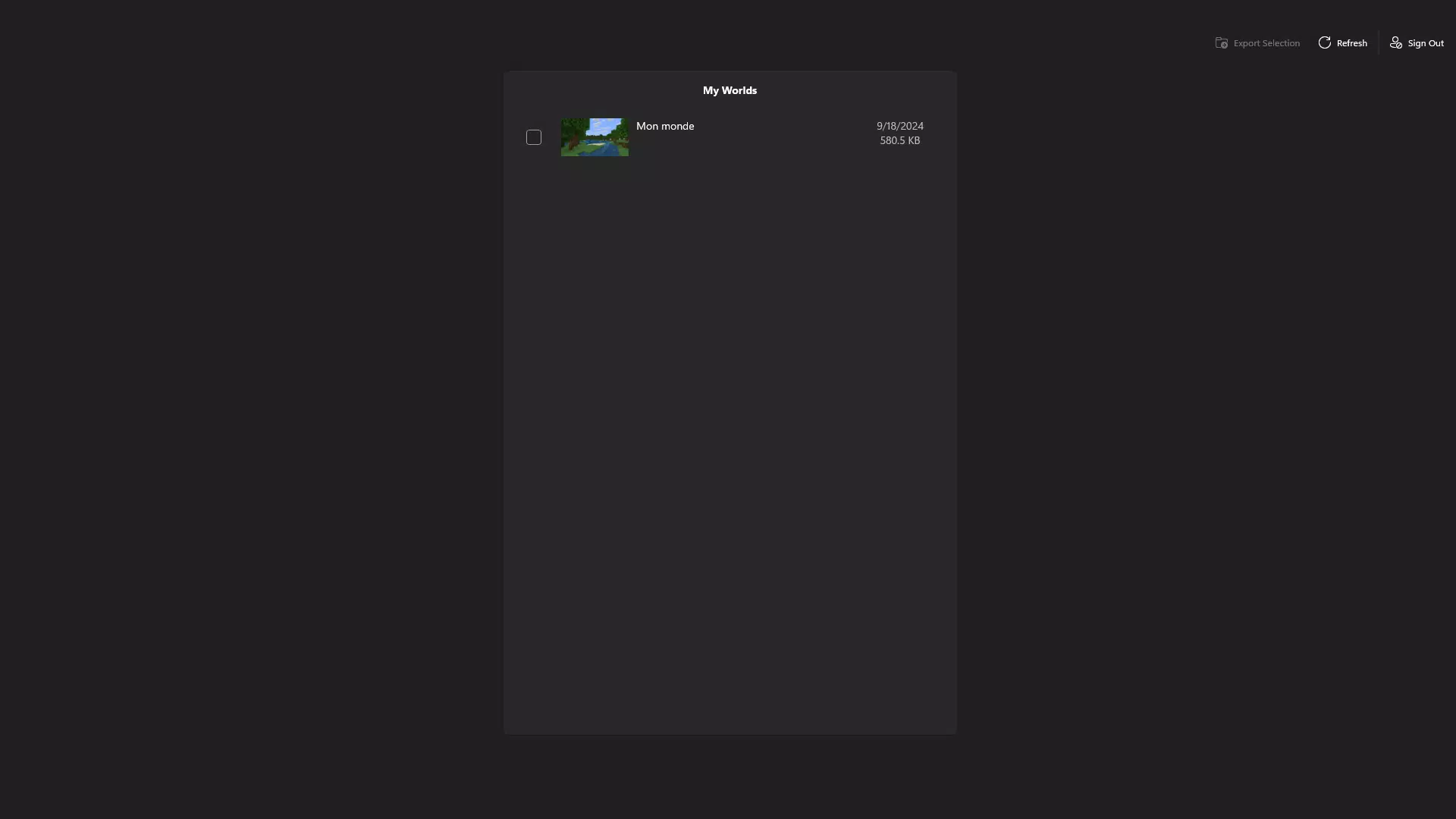
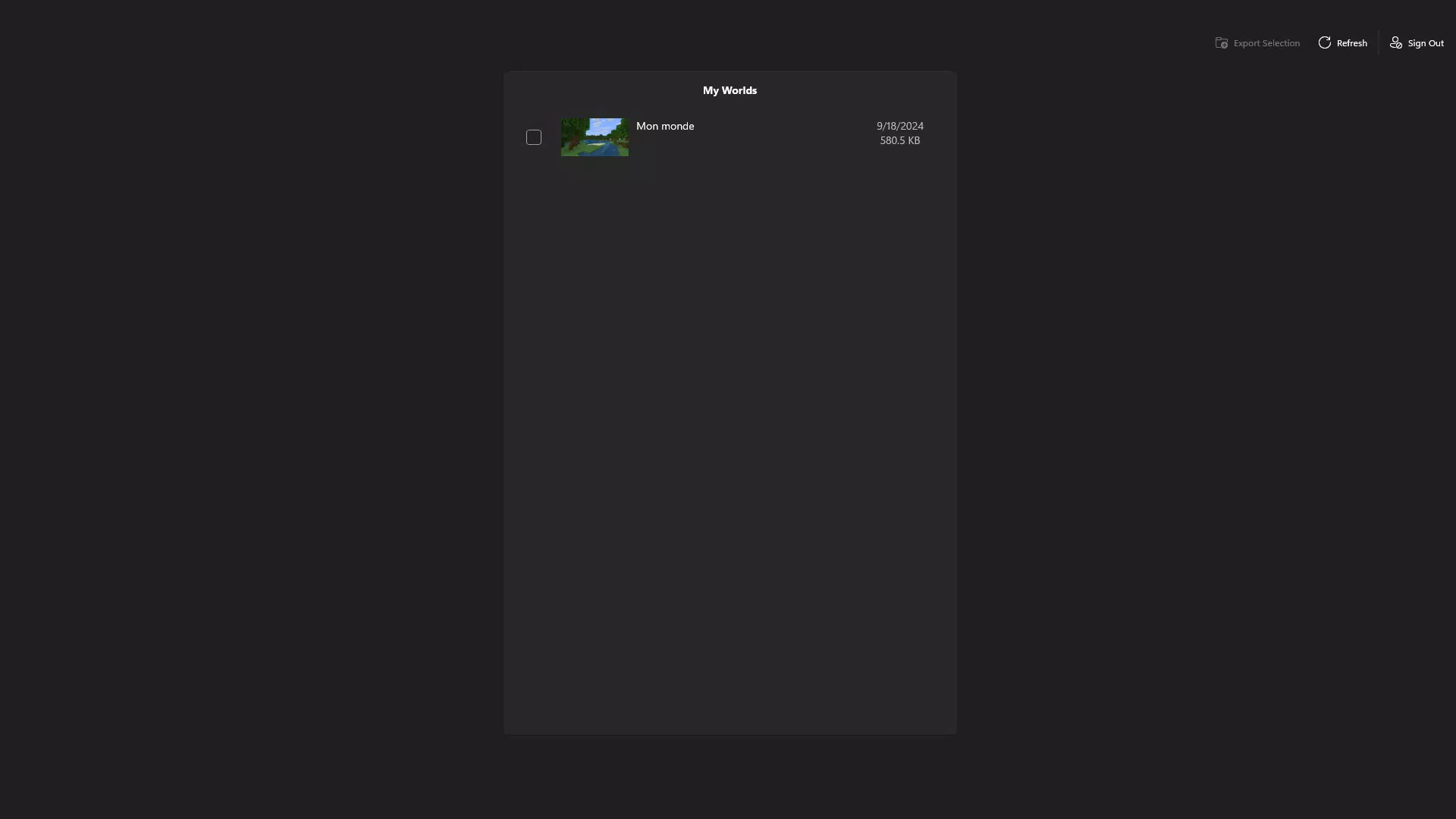
- User-Friendly Interface: The app features a clean, intuitive layout that simplifies the process of locating and downloading cloud-saved worlds. Navigation is straightforward, allowing users to browse their saved games without confusion or technical barriers. This design benefits both new players unfamiliar with cloud storage systems and experienced users seeking efficiency.
- Privacy Focused Architecture: MC Worlds Downloader explicitly states it does not collect or store personal data. This ensures that user credentials and game information remain protected during and after use. The app operates solely as a conduit between the user’s Microsoft Account and their Minecraft cloud saves, minimizing data exposure.
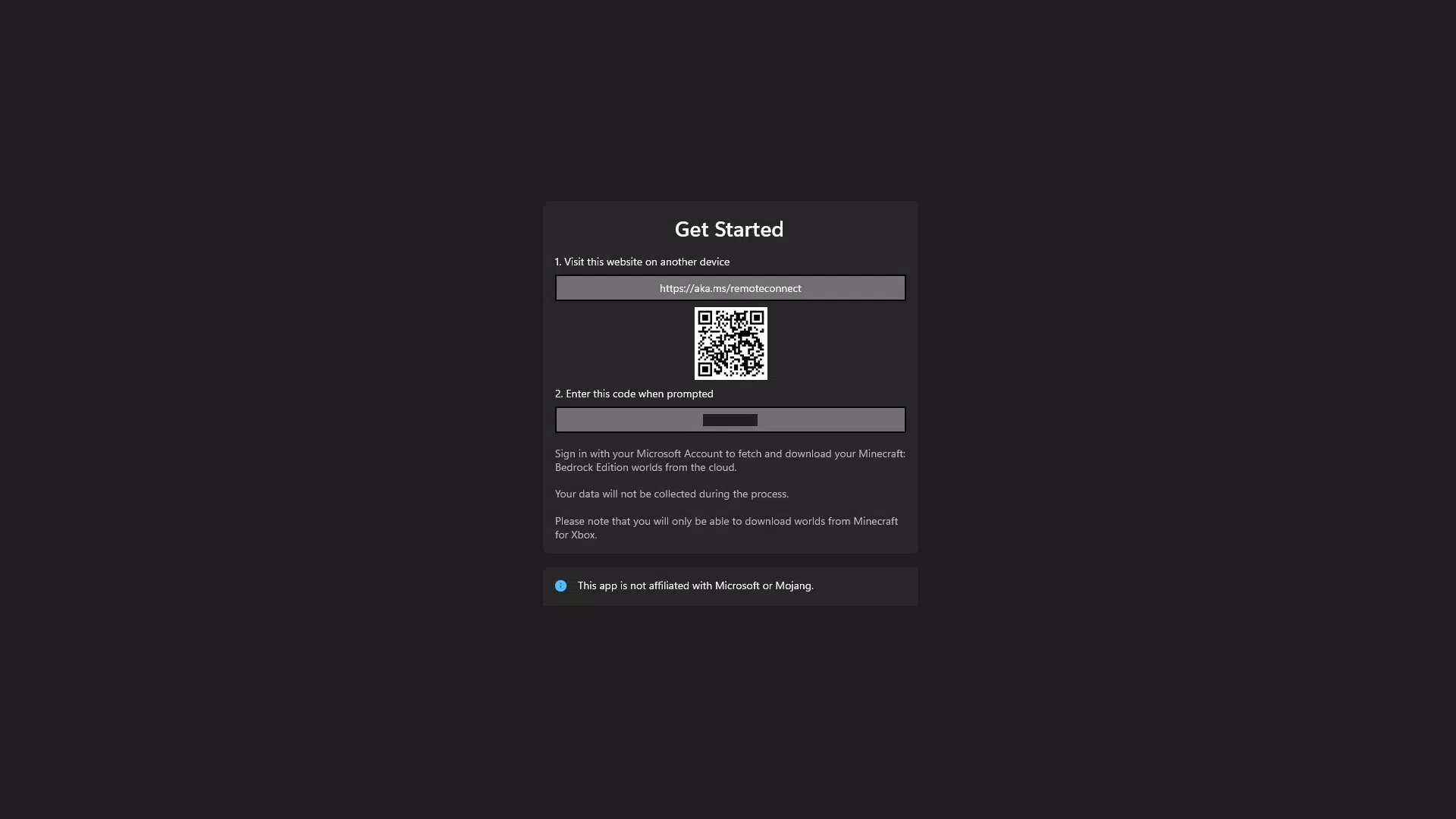
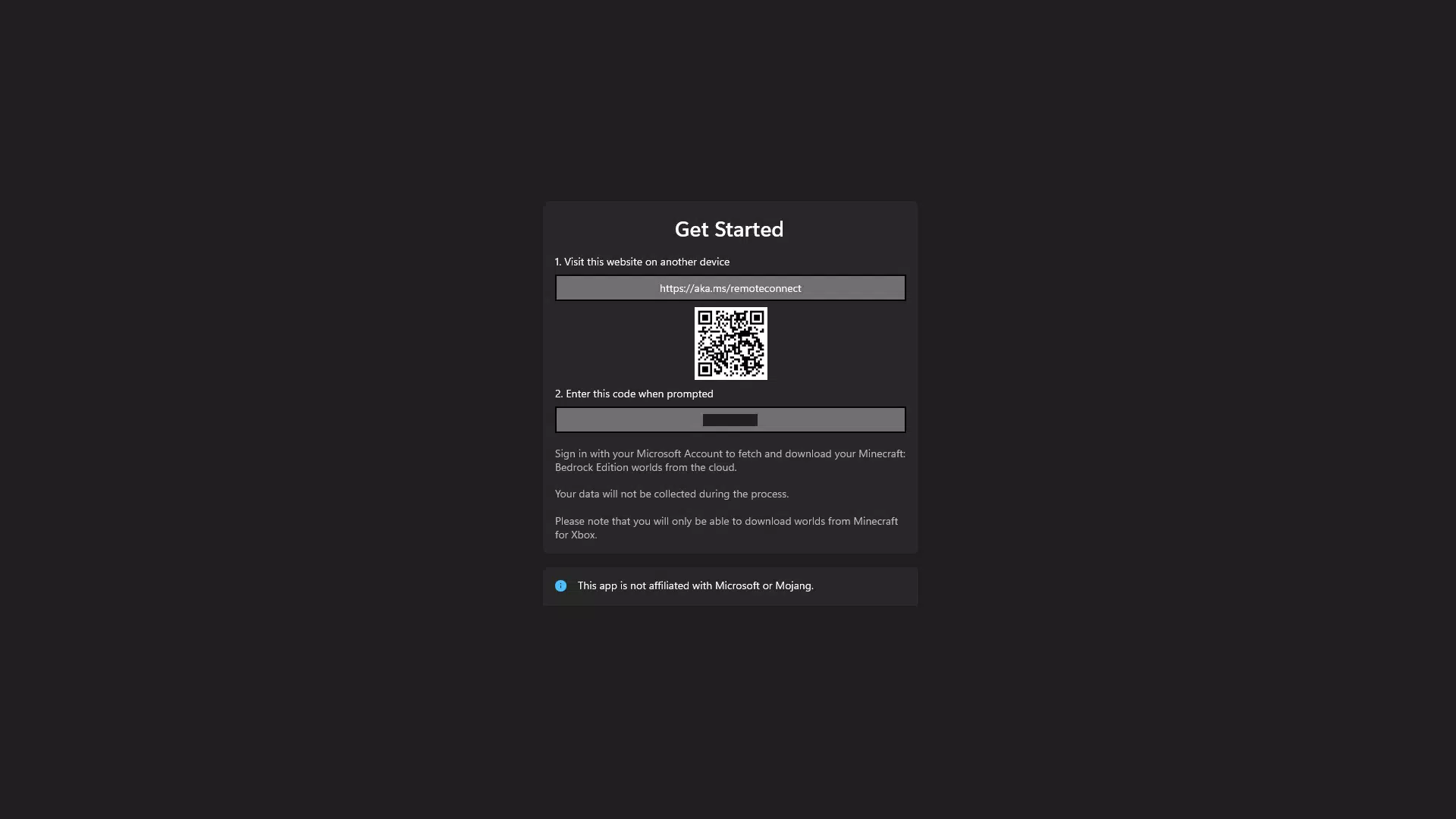
- Seamless Microsoft Account Integration: Upon login, the app syncs with the user’s Microsoft Account to access associated Minecraft cloud saves. This integration allows for automatic detection of available worlds, reducing manual input and minimizing errors during retrieval.
- Fast Download Speeds: The app is optimized for efficient data transfer, enabling quick downloads of Minecraft world files. This is especially useful for users with large or complex worlds, as it reduces downtime between accessing and resuming gameplay.
- Regular Updates: The developer maintains the app through periodic updates, ensuring compatibility with evolving Minecraft versions and platform changes. These updates help preserve functionality and user experience over time.
For example, a player who built a detailed redstone machine on Xbox can log in, locate the world, and download it to their Android device within minutes. This enables uninterrupted gameplay across platforms, enhancing the overall Minecraft experience.
Interface, UX & Performance
The user interface of MC Worlds Downloader is designed with clarity and simplicity in mind. The layout is minimal, prioritizing essential actions like login and world selection. Visual cues are consistent, and navigation flows logically from one step to the next, reducing cognitive load and improving usability.
Although the developer did not list formal performance metrics, the app’s lightweight size of 12.3 MB suggests efficient resource usage. It is likely optimized for smooth operation on a wide range of Android devices, including mid-tier and older models. Responsiveness appears to be a priority, as the app enables quick access to cloud data after login.
Stability is implied by the app’s focus on core functionality and lack of reported issues. The absence of data collection also contributes to a more predictable runtime. However, specific performance details on different device categories were not disclosed. Users can expect a stable experience based on the app’s focused design and clean interface.
Platform Compatibility & Technical Requirements
MC Worlds Downloader is available exclusively on the Android platform. It requires an Android device with access to the Google Play Store or alternative installation methods. The app’s current version is 1.0.0, with a file size of 12.3 MB, indicating a lightweight footprint suitable for most mobile devices.
The developer did not specify minimum OS requirements or compatibility details beyond the platform. As such, users should ensure their device meets general Android standards for app installation. The app’s free pricing model makes it accessible to a broad audience, with no upfront cost for download or use.
Pros and Cons
- Lightweight size (12.3 MB) for fast installation and minimal storage usage
- Secure login via Microsoft Account with no data collection
- Simple, intuitive interface suitable for all experience levels
- Efficient download speeds for cloud-saved Minecraft worlds
- Regular updates to maintain compatibility and functionality
- Compatibility details beyond Android were not provided
- Does not support iOS or other platforms
- Requires Microsoft Account—users without one cannot access the service
- Specific technical requirements (e.g., OS version) were not disclosed
- Functionality is limited to downloading; no editing or management tools are included
FAQ
Is MC Worlds Downloader safe to use?
Yes. The app does not collect or store any personal data. It uses Microsoft Account login for access but does not retain user information.
Can I use MC Worlds Downloader on iOS devices?
Currently, the app is only available for Android. No iOS version has been released.
Do I need a Microsoft Account to use this app?
Yes. Access to Minecraft cloud saves requires a Microsoft Account linked to your Xbox profile.
How often is the app updated?
The developer regularly updates the app to ensure compatibility with new Minecraft versions and platform changes.
Is MC Worlds Downloader free to download and use?
Yes. The app is available at no cost, with no in-app purchases or hidden fees.
Final Thoughts
MC Worlds Downloader stands out as a focused, privacy-conscious tool for Minecraft players seeking to transfer their Xbox creations to Android. Its streamlined interface, secure login process, and efficient download speeds make it a reliable utility for cross-platform gamers. While it lacks broader functionality such as world editing or multi-platform support, its singular purpose is executed well.
For users invested in their Minecraft worlds and looking for a secure, hassle-free way to access them on mobile, this app delivers real value. It fills a specific gap in the ecosystem with minimal friction and maximum trust.
Download MC Worlds Downloader now


